
Objective
This document outlines the process for handling refund, reshipment, and store credit requests, including when to escalate for approval, how to log cases, and how to handle supplier invoicing. This is to ensure compliance, proper documentation, and smooth communication between departments.
1. When to Request Refund Approval
Approval from a TL is required only if:
Customer rejects all offers in the Miro Flow Chart
The issue cannot be solved with reshipment or store credit
Request falls outside standard refund policy
⚠️ Never grant refunds immediately — always try reshipment or store credit first.
2. Valid Refund/Reshipment Scenarios
Damaged or broken item
Missing item
Incomplete pair/set
Product complaint (poor quality, not matching website photo)
Duplicate order
Return to sender (RTS)
Marked as delivered but not received
Order not found
Allegic reaction
Store credit refunds
3. Supplier Invoicing (Bowen)
Do not invoice for:
Wrong size
Wrong color
Incorrect item
Broken/missing item
Lost in transit
Marked delivered but not received
Invoice only if the replacement requested does not fall under the above issues
If unsure, escalate to TL before asking Bowen to invoice
4. Logging & Documentation
Log all approved and processed refunds, reshipments, and store credits in the Refunds and Reshipments Form and MHJ Problem Order - Request Sheet
Use official Internal Note Templates in Freshdesk
5. Handling Accepted Offers
A. Reshipment
Ask Bowen to ship a replacement if the customer provides the item name
If the item is out of stock → reply: “This item is unfortunately out of stock, please choose a different one.”
Confirm availability with the customer
Add internal note using Reshipment Template
B. Store Credit
Add an internal note using the Refund Template
Process in Shopify:
Open order → Refund → Refund to Store Credit → Enter amount → Confirm
Note transaction in Freshdesk
C. Refund
TL approval required
In Shopify: Refund → Select items/amount → Confirm
Log in Refund Approval Form + Tracking Sheet
Approved customer-facing sample response:
“We have submitted your refund request for review and approval. Please allow 24–72 hours for us to confirm that the refund has been approved and processed. This does not include your bank’s processing time.”
⚠️ Internal Only: Refunds might take 24–72 hours for us to review, approve, and process internally. The said window is in addition to the customer’s banking days, once processed, hence provided "approved customer-facing sample response" above.
D. Refund + Store Credit (Split)
Refund a partial amount in Shopify
Issue store credit for balance
Document breakdown in Freshdesk
Log refund portion in approval/tracking forms
6. Freshdesk Tagging for Quality Issues
Tag the ticket in Freshdesk by typing in the product name in the "Tags" section.
Located in the upper right corner of the ticket under Properties.
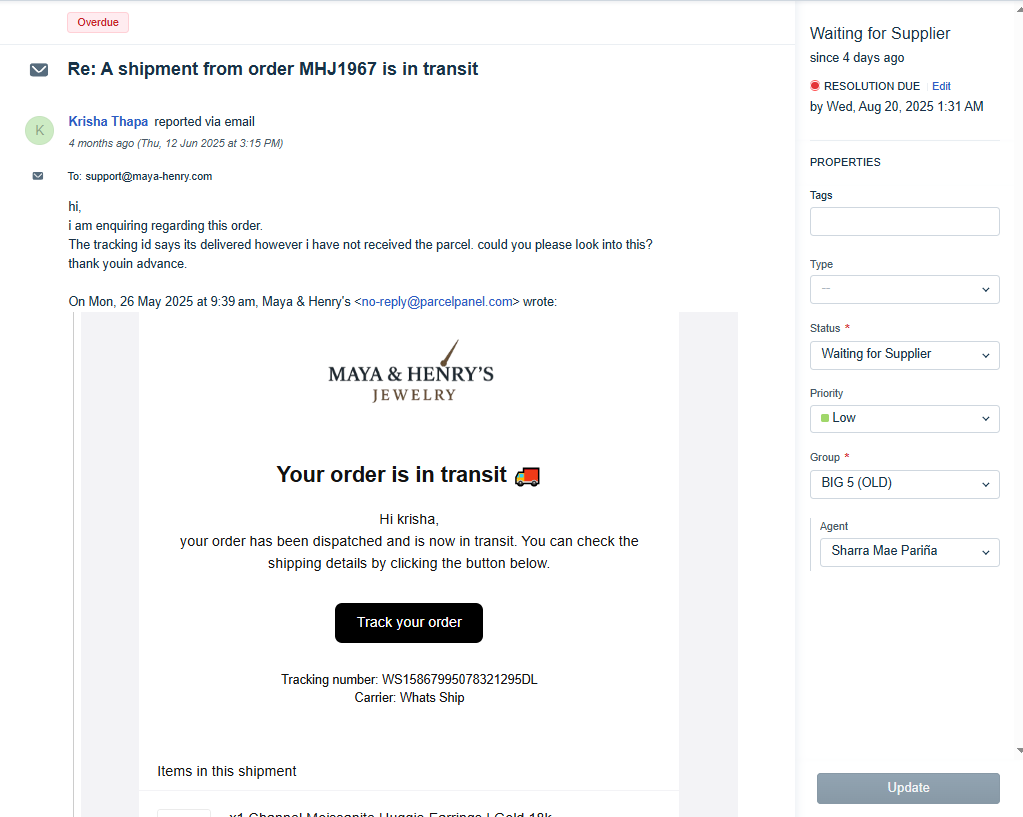
- Report via Product Quality Check Form and inform the team in WHATSAPP (MHJ IMPORTANT ANNOUNCEMENTS AND POLICY CHANGES) to ensure that the entire team is aware of potential recurring issues, helps everyone stay informed, and allows us to spot and address ongoing problems quickly.
7. Approval Rules
No TL approval if the customer accepts options from the Miro Flow Chart
TL approval required if:
Customer rejects all offers
Request is outside standard policy
8. Additional Notes
Always set tickets with pending approvals as “Waiting for Approval”
NFI (No Further Info) tickets and not following Internal Note Request Templates will not be processed.
Templates should be utilized when requesting refund approval and resolution.
Was this article helpful?
That’s Great!
Thank you for your feedback
Sorry! We couldn't be helpful
Thank you for your feedback
Feedback sent
We appreciate your effort and will try to fix the article